
Audio Displayed Meaning: What It Means in Chats, Transcripts, and Settings
If you searched for “audio displayed meaning,” you probably saw the word somewhere strange: inside an exported chat, in a transcript, or in a settings menu. It looks like slang, but it is not. “Audio displayed” is usually a system label, a placeholder that says “there was audio here,” written in text form because the sound itself cannot be shown in a document.
This article explains every common place the term appears, what it means in each one, and what it does not mean, so you can stop guessing and read it correctly.
The Short Answer: A Label, Not Slang
In most cases, “audio displayed” (often written as one word, “audiodisplayed,” or wrapped in markers like <<audiodisplayed>>) means that audio content was represented in text form. A voice message, a sound clip, or a narrated description existed at that point, but the document or screen shows a label instead of playing the sound.
It is not a standard dictionary word, and it is not texting slang. You will not find it in everyday conversation, and nobody uses it to express a feeling. It belongs to the world of software: exports, transcripts, logs, and accessibility settings, where a program needs a short way to say “audio was here.”
Just as colors change meaning with context, this label changes meaning with its surroundings. In an exported chat it means one thing, in an accessibility menu it means something close but different, and in a developer’s log it means something technical. The place where you saw it decides the meaning.
Why It Is Not Slang
It is tempting to treat every strange word online as slang, but “audiodisplayed” fails every slang test. It has no real traction in texting, no viral TikTok meaning, and no entry as a conversational term. People do not greet each other with it, joke with it, or use it to describe a mood.
Instead, it almost always traces back to one of three things: a system-generated placeholder in an exported file, a squished-together spelling of “audio displayed” from a technical label, or a confusion with “audio described,” which is a real and different accessibility term explained below.
Knowing this saves you from misreading it. If you treat it as slang, you will look for a hidden social meaning that is not there. If you treat it as a label, the meaning becomes plain: the system is telling you about audio, in text, because text is all it has in that spot.
In Exported Chats: The Voice Message Placeholder
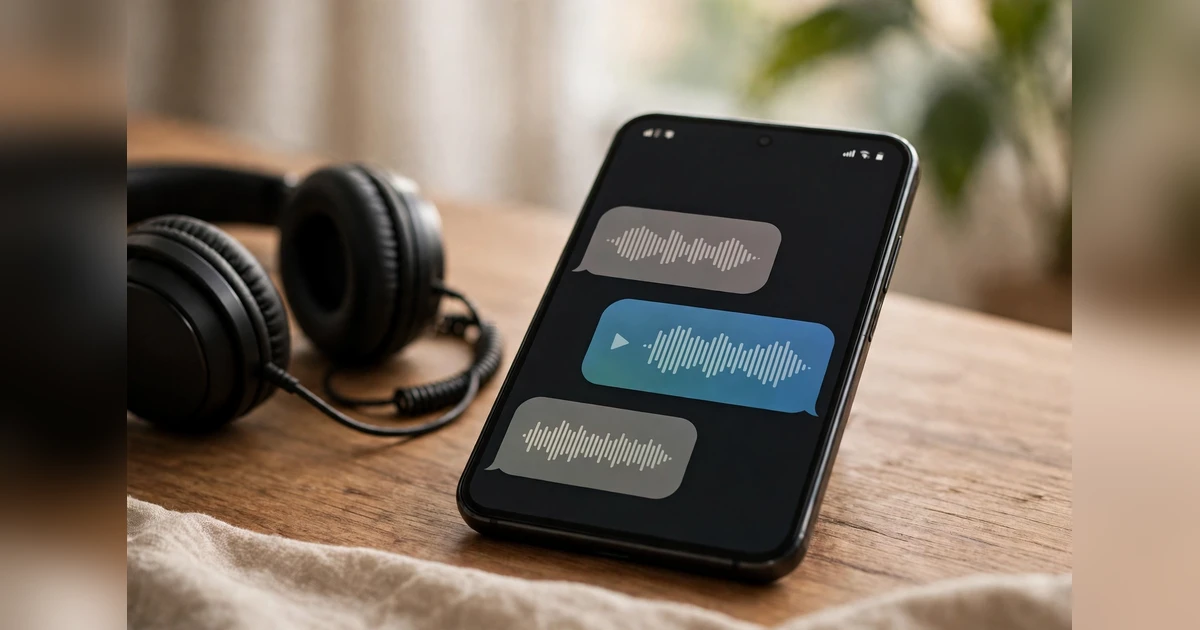
The most common place people meet this term is an exported chat. Imagine a friend sends you a voice note, and later you export that conversation as a text file to save it, print it, or move it to another app. A text file cannot carry sound. So the export process replaces the voice message with a text marker instead.
That marker often looks like <<audiodisplayed>>. It sits in the chat exactly where the voice message was, between the messages before and after it, keeping the conversation’s order intact. It tells you that a voice message existed at that point, even though you cannot hear it in the text file.
This is important: the marker does not contain the spoken words. It does not transcribe what your friend said. It simply marks the spot. If you need the actual words, you need the original chat with its audio file, or a transcription made separately. The exported text alone cannot give you back the sound.
WhatsApp itself does not use this exact word in its everyday interface, but similar placeholder-style labels appear whenever chat history is exported or converted into another format. Any app that turns a multimedia conversation into plain text faces the same problem, and placeholders are its solution.
In Transcripts: Audio Detected, Words Not Written
Transcripts are another common home for this label. A transcription tool listens to a recording and writes down the words, but sometimes it meets a segment it cannot turn into words: a sound effect, music, an unclear voice, or an audio clip in another format. Instead of guessing, it may mark the segment with a label like “audiodisplayed.”
In a transcript, the label usually signals that the tool detected an audio segment but did not convert it into written words. It is an honest admission, not an error. The tool is saying, in effect, “something sounded here, but I have no words for it.”
This matters when you rely on a transcript for records, meetings, or evidence. A transcript with such markers is incomplete by design at those points. If the missing audio matters, you need to listen to the original recording at that timestamp. Treating the marker as if it were the content would be a mistake.
Displayed Does Not Mean Played
Here is the most important distinction in this whole topic: “displayed” refers to presentation, while “played” refers to playback. They sound similar, but they prove different things.
An “audiodisplayed” marker says audio was represented or presented on screen. It does not say anyone pressed play, listened, or heard a single word. A voice message can be displayed as a waveform or a placeholder without ever being played, just as a book can sit open on a table without being read.
This is why the label should never be used as proof that someone listened to a voice message. It is not a read receipt, and it is not a play confirmation. Messaging apps have their own separate signals for those, such as blue ticks or a “played” status, and those are the signals to check when listening actually matters.
If you are ever in a disagreement about whether someone heard your voice note, look for the app’s own playback indicator, not a placeholder label in an export. The export marker only proves the message existed, not that it was heard.
Audio Description: The Close Cousin
A related but different term causes much of the confusion: audio description, sometimes called descriptive audio. This is a real accessibility feature, and it is worth understanding because the words look alike.
Audio description adds a separate narration track to video or media content. During pauses in dialogue, a narrator describes visual information that a blind or low-vision viewer might otherwise miss: facial expressions, character movements, clothing, locations, objects, background scenery, and on-screen text. It turns what is seen into words that can be heard.
You can find audio description across devices and services: smart TVs, smartphones, tablets, computers, streaming devices, gaming consoles, and video apps. It is usually a setting you turn on, and it only works on content that was prepared with a description track.
The connection to our term is loose. Some sources link “audiodisplayed” with audio description because both involve audio standing in for visual information. But they are not the same thing. Audio description is narration you listen to. An “audiodisplayed” marker is a text label you read. One is heard, the other is shown.
Auditory Display: The Real Field Behind the Word
There is also a genuine academic field with a similar name: auditory display. It has been studied for decades, and it means using non-speech sound to communicate information. Instead of showing you a chart or a number on a screen, an auditory display plays that information to you as sound.
Common examples are all around you. A screen reader reads text aloud for blind users. A microwave beeps when food is ready. A car’s parking sensor beeps faster as you approach an obstacle. A bank’s automated line speaks your balance. In each case, sound carries information that sight would normally carry.
Researchers describe this as making data perceptible through hearing instead of sight. It helps blind and visually impaired users navigate software through sound cues, and it helps sighted users get information while their eyes are busy, like when driving. The field is real and respected, even though “audiodisplayed” itself is not its technical term.
AudioDisplay: The Radio Product
There is one more real use of the name, and it is commercial. AudioDisplay is an actual product built by RCS Worldwide, a major broadcast software company. It is a subscription tool that radio stations use to run text and image ads synced to their audio broadcasts.
When you listen to a modern car radio and see the station name, song title, or an ad on the small display, that is the kind of system at work. AudioDisplay lets stations manage text and image campaigns that sync directly with what is airing, supporting both RDS, the small text display in car radios, and HD Radio, which can show album art and richer visuals.
This has nothing to do with slang or chat exports. It is simply a product name that happens to combine the same two words. If you meet “AudioDisplay” in a broadcasting or advertising context, it is almost certainly this product, not a message label.
Where Else the Label Appears
Beyond chats and transcripts, audio-related labels appear in many interfaces. A media player may show an audio track’s status. A notification preview may represent an audio element with a text label. A technical interface may log an audio event with a short status word. A developer might even name a variable something like “audioDisplayed” to track whether a voice note’s waveform has rendered on screen, and that internal name can occasionally leak into a visible log or export.
The pattern is always the same: a system needs to describe audio in a place where audio cannot play, so it writes a label. The label’s exact wording varies by app, but its job does not. It marks, it does not play.
If you see an unfamiliar audio label, check three things: which app produced it, whether it came from an export or a live screen, and whether the original audio is still available elsewhere. Those three answers usually settle the meaning.
What to Do When You See It
If you meet “audiodisplayed” in your own files, here is a simple plan. First, note where you saw it: an exported chat, a transcript, a notification, or a settings menu. Second, remember that it marks audio, it does not reproduce it. Third, if the audio’s content matters, go back to the original source: the chat app with its voice messages intact, the original recording at the marked timestamp, or the media file itself.
Do not forward the marker as if it were the message. Do not quote it as proof of listening. And do not worry that you missed a slang trend. You did not. You met a piece of software doing its job in the only way a text file can.
If a friend sends you an export full of these markers and you need the voice notes, ask them to share the audio files directly, or to export from the app in a format that keeps media attached. Text exports are for words. Audio needs its own channel.
Frequently Asked Questions
What does audio displayed mean in a chat export?
It means a voice message or audio clip existed at that point in the conversation, but the text export replaced it with a marker because a text file cannot carry sound.
Does audiodisplayed mean someone listened to the audio?
No. Displayed means represented on screen, not played. It is not a read receipt or a play confirmation, and it should not be used as proof of listening.
Is audiodisplayed slang?
No. It is not standard texting slang, it has no conversational meaning, and it does not appear as a slang term with real traction. It is a system label or placeholder.
What is the difference between audio displayed and audio described?
Audio displayed is a text marker showing that audio existed at a point. Audio described, or audio description, is a narration track that explains visual content aloud for accessibility. One is read, the other is heard.
Final Thoughts
“Audio displayed” looks mysterious only until you know what kind of word it is. It is not slang, not a secret code, and not proof of anything about listening. It is a practical label from the world of software, marking the spot where sound used to be so that a text document can stay honest about what it contains.
The next time you see <<audiodisplayed>> in an export or a transcript, read it for what it says: audio was here. If the words matter, go back to the source and listen. For a deeper breakdown of the term’s contexts, the AudioDisplayed guide is a useful companion.